 TextingReel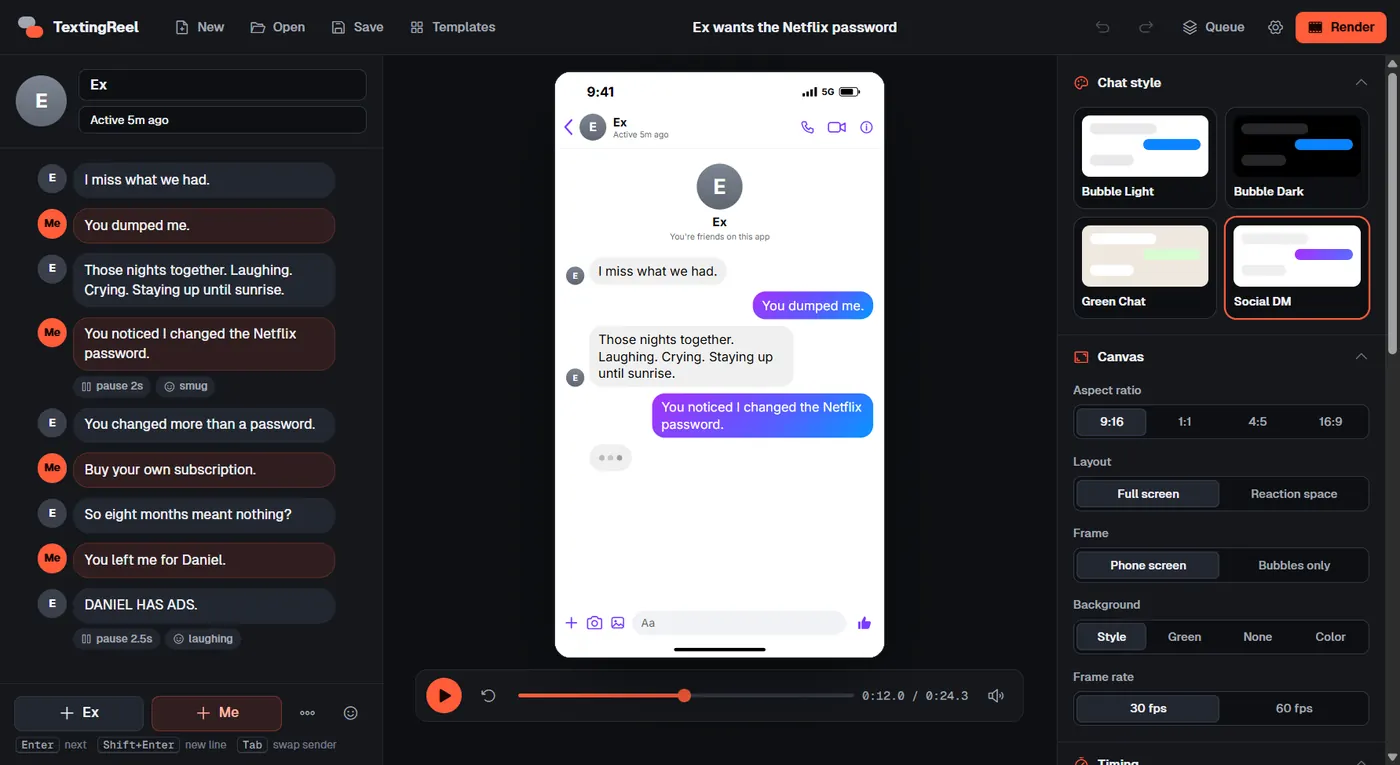
What makes a fake text video look real
Viewers have seen thousands of real phone screens, so small details decide whether a chat feels believable or cheap. TextingReel handles them for you:
- A typing indicator before each reply, timed to the length of the message, so the other person seems to be thinking.
- Your messages typed into the input bar letter by letter before they send, with keyboard sounds.
- Bubbles that pop in and a thread that scrolls up naturally as the conversation grows.
- Real phone chrome: status bar, contact header with photo or initials, input bar, time stamps, ticks and "Delivered" receipts.
- Message sounds for sent and received messages, plus optional background music.
- Reading time that adapts to each message, so short lines move fast and punchlines get room to land.
How to make a fake text message video
Start a chat
Open TextingReel and click New, or pick one of the 22 templates. Type the contact's name and status, and add a profile photo if you like.
Write the conversation
Type a message and press Enter. The next line comes from the other person automatically. Press Tab to switch the sender. Add emoji, photos, a "Today" date separator or a system note.
Tune the timing
Pick a speed. On the punchline, open the message options and add a pause after it, so viewers have a beat to react. Add extra wait before a reply for tension.
Choose the look
Pick one of four styles and an aspect ratio. 9:16 is right for TikTok, Reels and Shorts. Use green screen if you plan to put the chat over other footage.
Render
Click Render. The MP4 lands in your Videos folder, next to a cue sheet that lists every pause.
TextingReel costs $12.99 once. No monthly plan, no credits, no watermark.
Get TextingReel $12.99What you can make with it
- Comedy chat stories: wrong numbers, parents discovering emoji, landlords, exes, customer support gone wrong.
- Reaction videos: the chat with built-in pauses where you cut to a meme or your face cam.
- Horror and suspense texts: dark mode, slow typing, long pauses, a final message that changes everything.
- Product and brand skits: a customer texting a friend about your product, or support solving a problem in a funny way.
- Story series: recurring characters in a fixed style, posted as Part 1, Part 2 and so on.
- Overlays: just the bubbles on green or transparent, dropped into vlogs, gameplay or tutorials.
Short on ideas? Browse 15 ready-made text story scripts, each included as a template.
Four styles, zero trademark worries
Online tools often copy a specific app pixel for pixel. That is a risk: platforms and brand owners can treat it as impersonation. TextingReel's styles look like modern messaging apps without copying any of them:
| Style | Looks like | Good for |
|---|---|---|
| Bubble Light | Gray and blue bubbles on white, centered contact header | Classic texting stories, family and dating chats |
| Bubble Dark | The same layout in dark mode | Late-night drama, horror, pranks |
| Green Chat | Green sent bubbles, time stamps, ticks, patterned wallpaper | Group-style banter, parents, work chats |
| Social DM | Gradient bubbles, profile intro, "Active now" | Exes, crushes, influencer DMs |
Use it responsibly
Fake chats are fiction, and the best ones are obviously comedy. Don't use them to put words in a real person's mouth, and label skits as fiction where a platform asks you to. TextingReel's generic styles help: nobody will mistake your video for a leaked screenshot from a specific app.
Questions
Is TextingReel a website or an app?
An app for Windows 10 and 11. You install it once, and it runs offline. Nothing is uploaded anywhere.
How long can a video be?
As long as you want. Most text stories work best at 30 to 90 seconds. Split long conversations into parts.
Can I add my own music?
Yes. Add an MP3, WAV, M4A, OGG or AAC file and set its volume, fade in, fade out and start point. Short songs loop automatically.
Can I make many videos at once?
Yes, with batch rendering. Write several chats in a text file or spreadsheet and render them in one go. See the text story workflow.