 TextingReel
The chat video maker that runs on your PC.
Type a chat, pick a style, click Render. TextingReel turns it into a text message video for TikTok, Instagram Reels, YouTube Shorts and Facebook, with typing animations, message sounds and green screen export.
- One payment, no subscription
- No watermark
- Works offline
- Windows 10 and 11
From script to MP4 in three steps
No video editing skills and no timeline. You write the conversation, TextingReel handles the pacing, the scrolling and the sound.
Write the chat
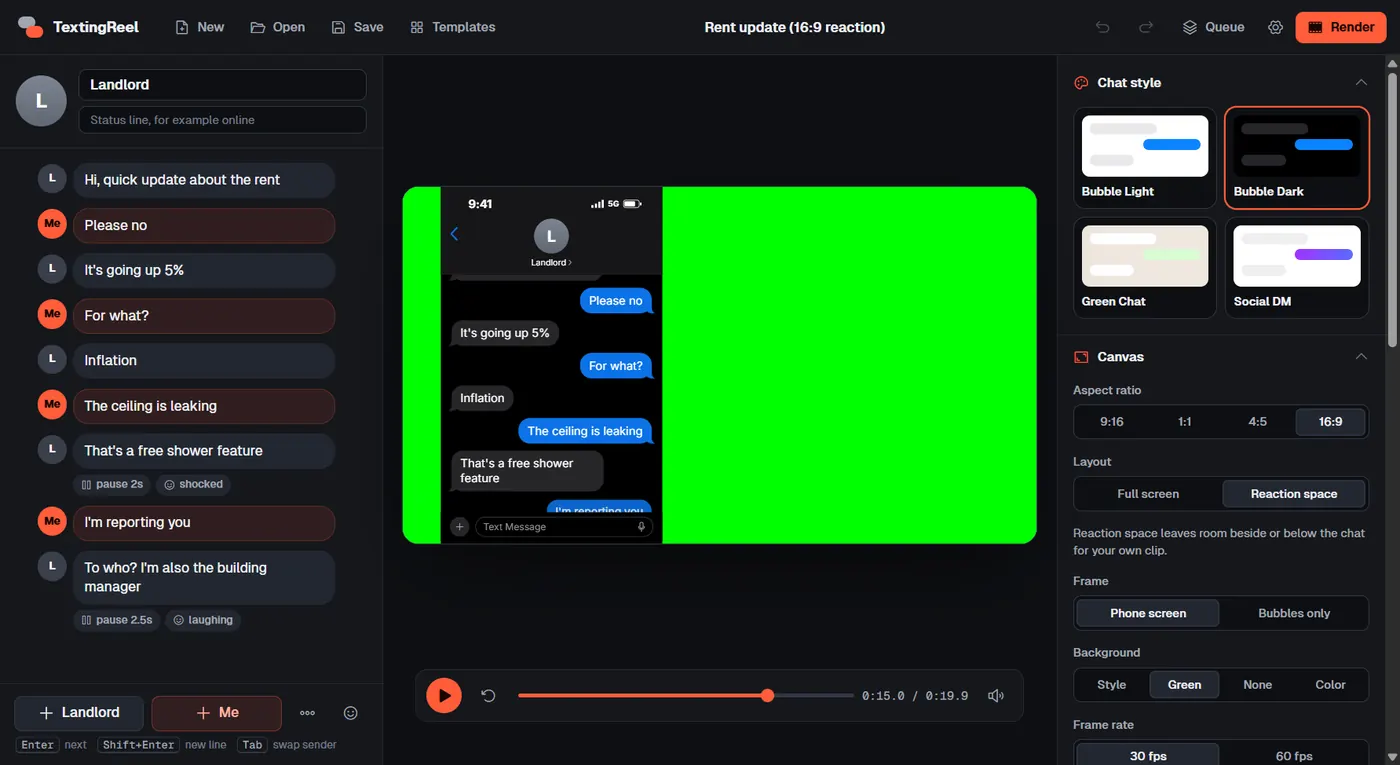
Type each message and press Enter for the next reply. Tab switches who is talking. Add photos, emoji, dates and system notes, or start from one of 22 templates.
Watch the live preview
The phone preview plays the video exactly as it will export, with typing dots, pop-in bubbles, auto-scroll and sounds. Change the style, speed or aspect ratio and see it right away.
Render and post
Click Render and get a 1080p MP4 in your Videos folder, ready to upload. A 25-second chat takes about a minute to render on a normal laptop.
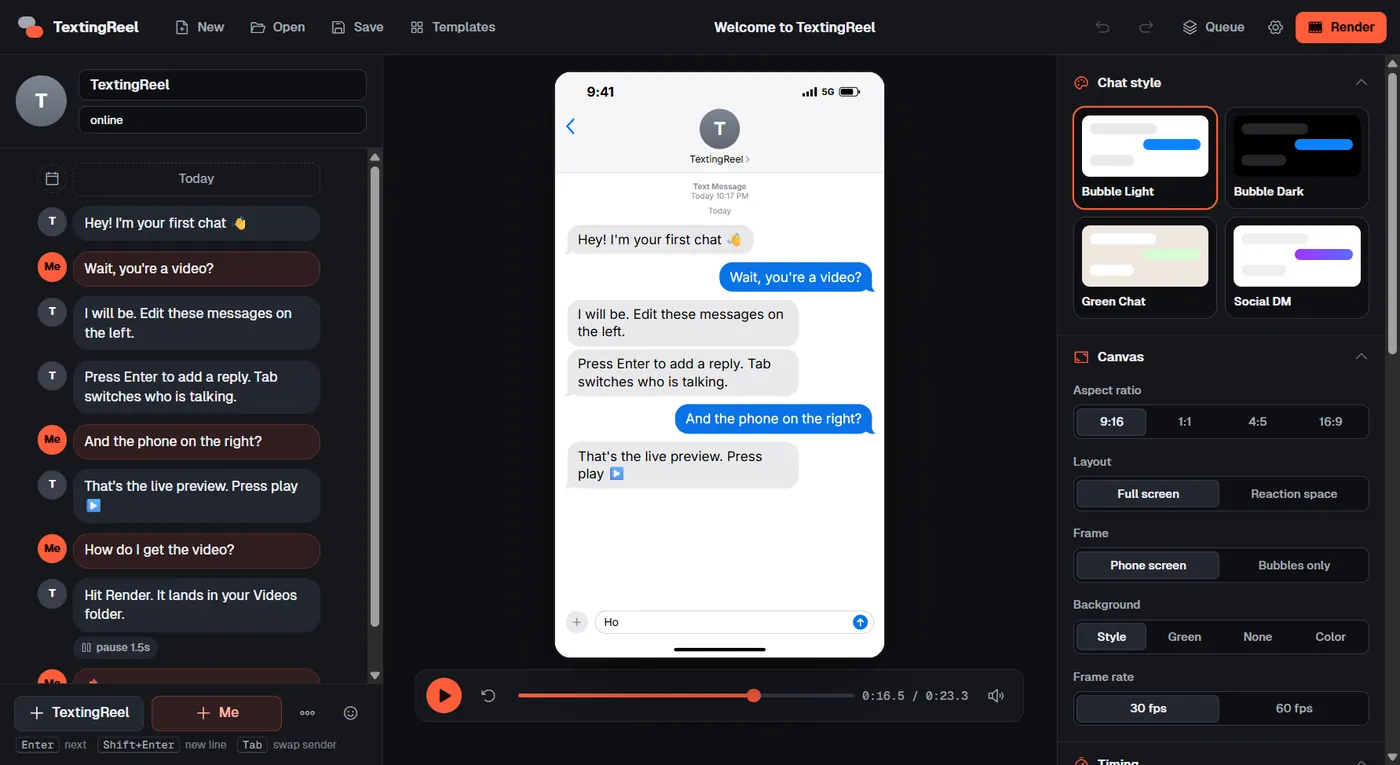
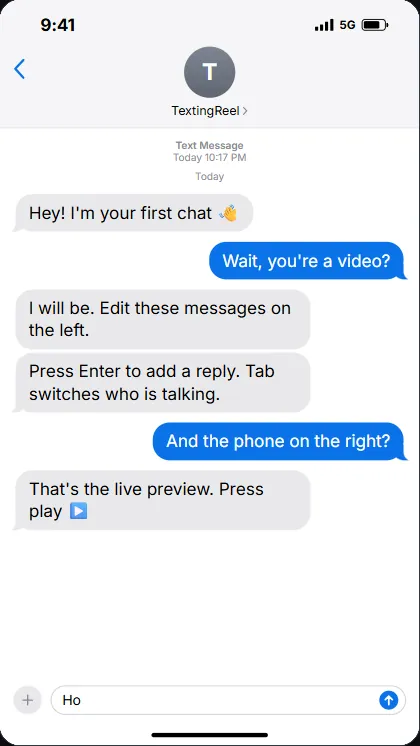
Looks like a real phone. Belongs to no app.
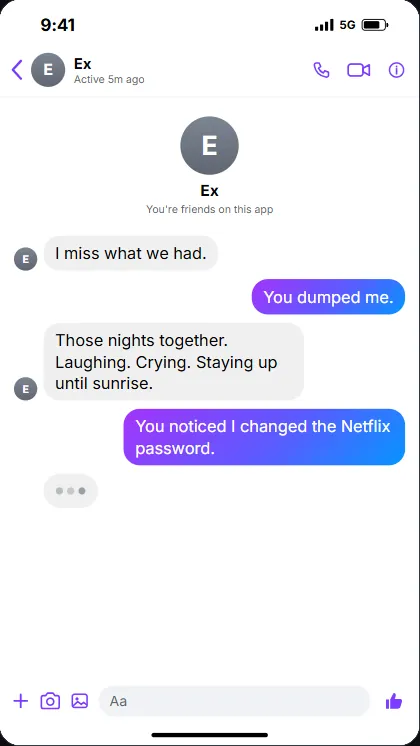
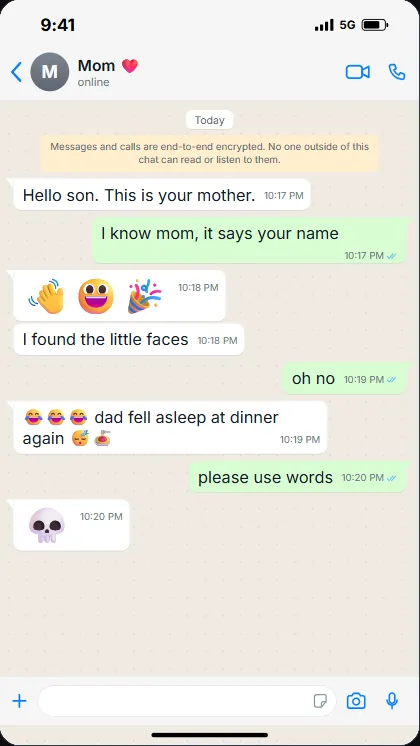
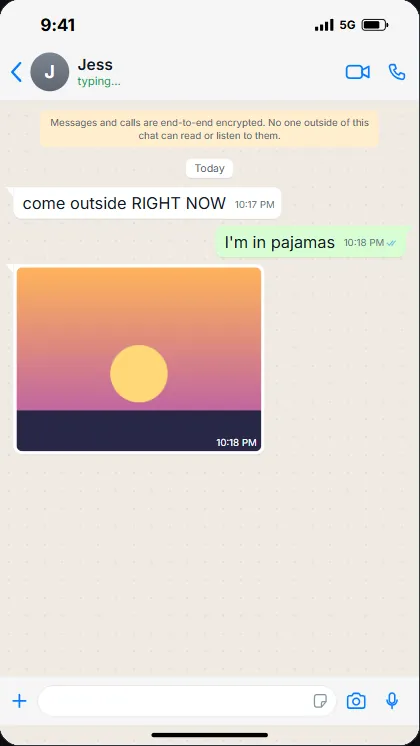
Every style has a real status bar, header, input bar and read receipts, so viewers instantly recognise a text conversation. The designs are generic, with no brand names or logos, which keeps your videos clear of trademark trouble.
Everything a chat story needs
Animation that feels real
Typing indicator before every reply, your own messages typed letter by letter into the input bar, bubbles that pop in, smooth auto-scroll and "Delivered" receipts. Four speed presets, plus per-message pauses and waits for comic timing.
Sound built in
Send and receive sounds, keyboard taps and background music with volume, fades and looping. The built-in sounds are original and free to use.
Every format
9:16 for TikTok, Reels and Shorts, plus 1:1, 4:5 and 16:9. 30 or 60 fps. Exports MP4, WebM and MOV.
Green screen and transparent
Put the chat on pure green or render it with a transparent background to layer over gameplay, a face cam or memes. How it works.
Reaction pauses
Hold the video after any message and get a cue sheet listing every pause, so you know exactly where to drop your reaction clips.
Batch rendering
Paste many chats into a text file or a spreadsheet and render them all in one go. Ideal for faceless channels posting daily. Each video gets its own file and cue sheet.
22 templates
Ready-made funny chats to learn from or remix. See the text story ideas.
Private and offline
No account, no uploads, no tracking. Your scripts never leave your PC, and it keeps working without internet.
Full source code
Plain JavaScript on Electron, documented. Rebrand it, translate it, extend it. Details for developers.
TextingReel vs. online text story tools
Most fake text message video tools are websites with monthly plans. They are a good fit if you want AI voiceovers and stock gameplay footage generated for you. If you post often and want control, a desktop app is cheaper and more private.
| TextingReel | Typical online tool | |
|---|---|---|
| Price | $12.99 once | Monthly subscription, often with video limits |
| Watermark | Never | Common on free plans |
| Works offline | Yes | No |
| Your scripts | Stay on your PC | Uploaded to their servers |
| Transparent export (WebM, MOV) | Yes | Rare |
| Batch from CSV or text | Yes | Usually on higher plans |
| Source code | Included | No |
| AI voiceover, gameplay backgrounds | No (add them in your editor) | Often included |
Built for people who post a lot
Faceless channel creators who publish text stories every day and are tired of paying per video. Write a week of chats in one text file and batch-render them.
Meme and reaction editors who need a clean chat overlay. Use Reaction Space or green screen, then cut to your clips at the pauses listed in the cue sheet.
Developers and agencies who want their own chat video product. The full source code is included and documented.
Read the text story workflow or the step-by-step guide to making text message videos.
Requirements
| System | Windows 10 or 11, 64-bit. No graphics card needed. |
| Memory | 4 GB RAM minimum, 8 GB recommended |
| Disk space | About 1 GB including the video tools |
| Internet | Once, for a free 225 MB download of the video encoder and renderer during setup |
| You get | Windows installer, full source code, HTML documentation, 22 templates |
Questions
Is it really a one-time payment?
Yes. You pay $12.99 once on Gumroad and keep the app. There is no subscription, no credit system and no limit on how many videos you make.
Does it add a watermark?
No. Every video is clean, at full 1080p quality, which matters if you want to monetize on TikTok or YouTube.
Does it work on Mac, iPhone or Android?
No. TextingReel is a Windows 10 and 11 app. The videos it makes play everywhere.
Can I make it look like iMessage or WhatsApp?
The styles look like modern messaging apps (light and dark bubbles, a green chat style and a social DM style) but are generic designs without any brand names or logos. That keeps your videos original and avoids impersonating a real app.
Does it have AI voices?
No. TextingReel focuses on the chat animation and sound effects. If you want narration, add a voiceover in CapCut or any editor, using the cue sheet to line things up.
Can I use the videos commercially?
Yes, the videos you make are yours. Only use music and photos you have the rights to.
What does "includes source code" mean for me?
If you just want to make videos, use the installer and ignore it. If you are a developer, you can change the app, add styles or build your own branded version. See the source code page.
Make your first chat video today
One-time $12.99. Windows 10 and 11. No subscription, no watermark, no API keys. Includes the full source code.